See the product before you talk to anyone
Every screen below is a capture of a running ErgoLIMS tenant with real data in it. No mock-ups, no illustrations, and no screens that would have been empty — those are left out rather than padded.
The dashboard, top to bottom
Most vendors show you a cropped hero shot. This is the entire screen a lab manager works from — scroll it, or take the six stops in order.
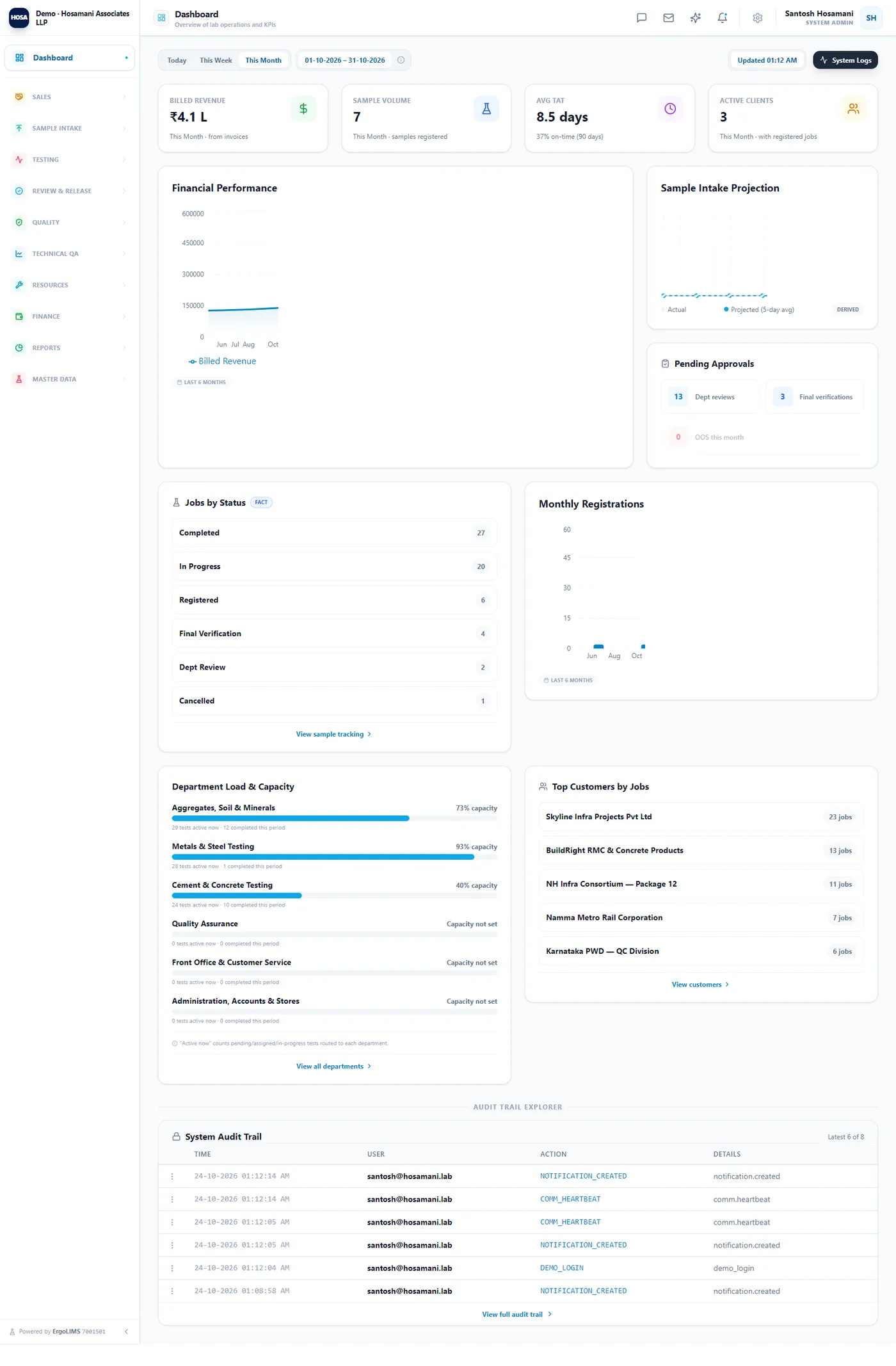
One real screen, captured whole from a demonstration tenant — scrollable, not a montage.
The list, the form, and the record
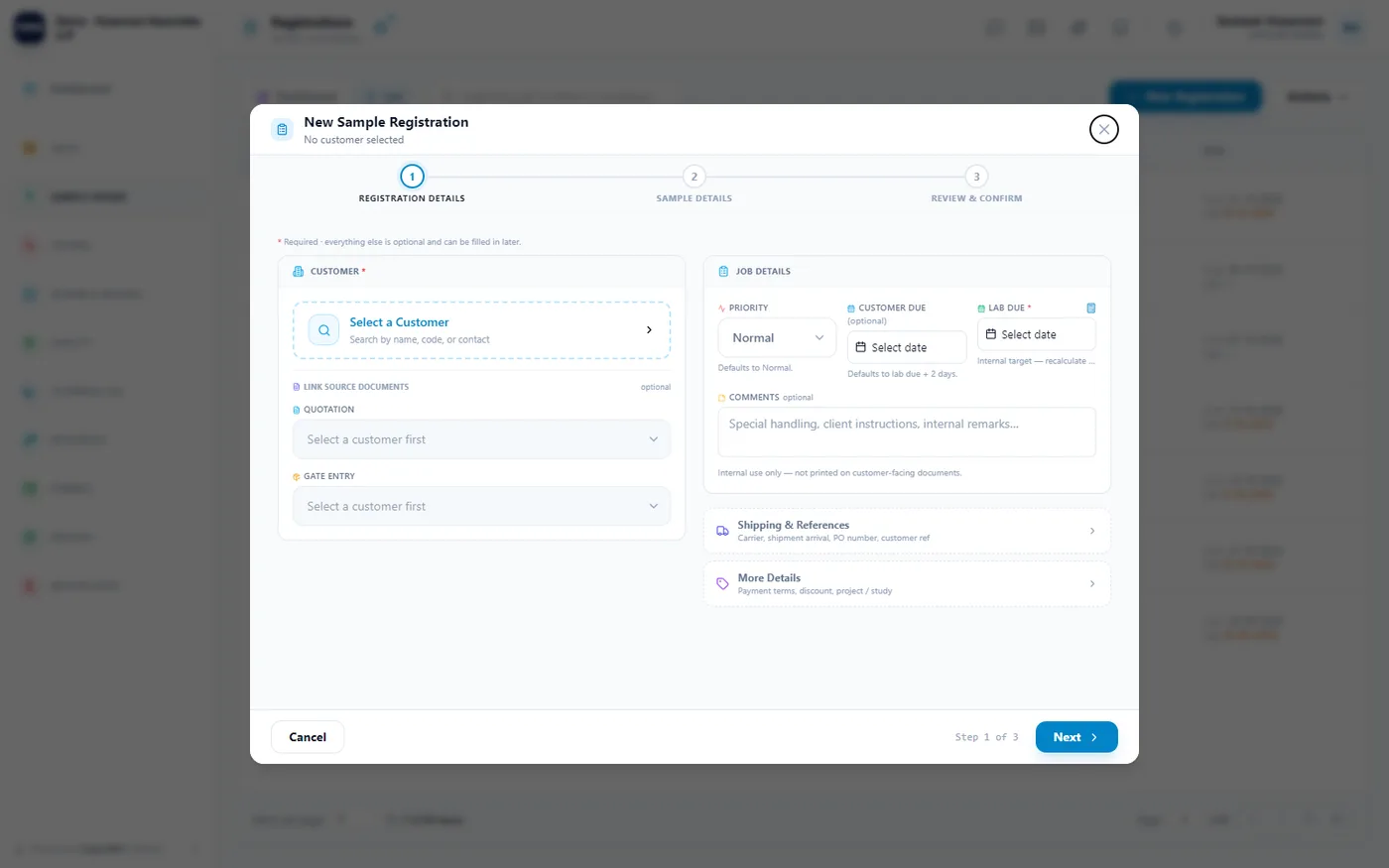
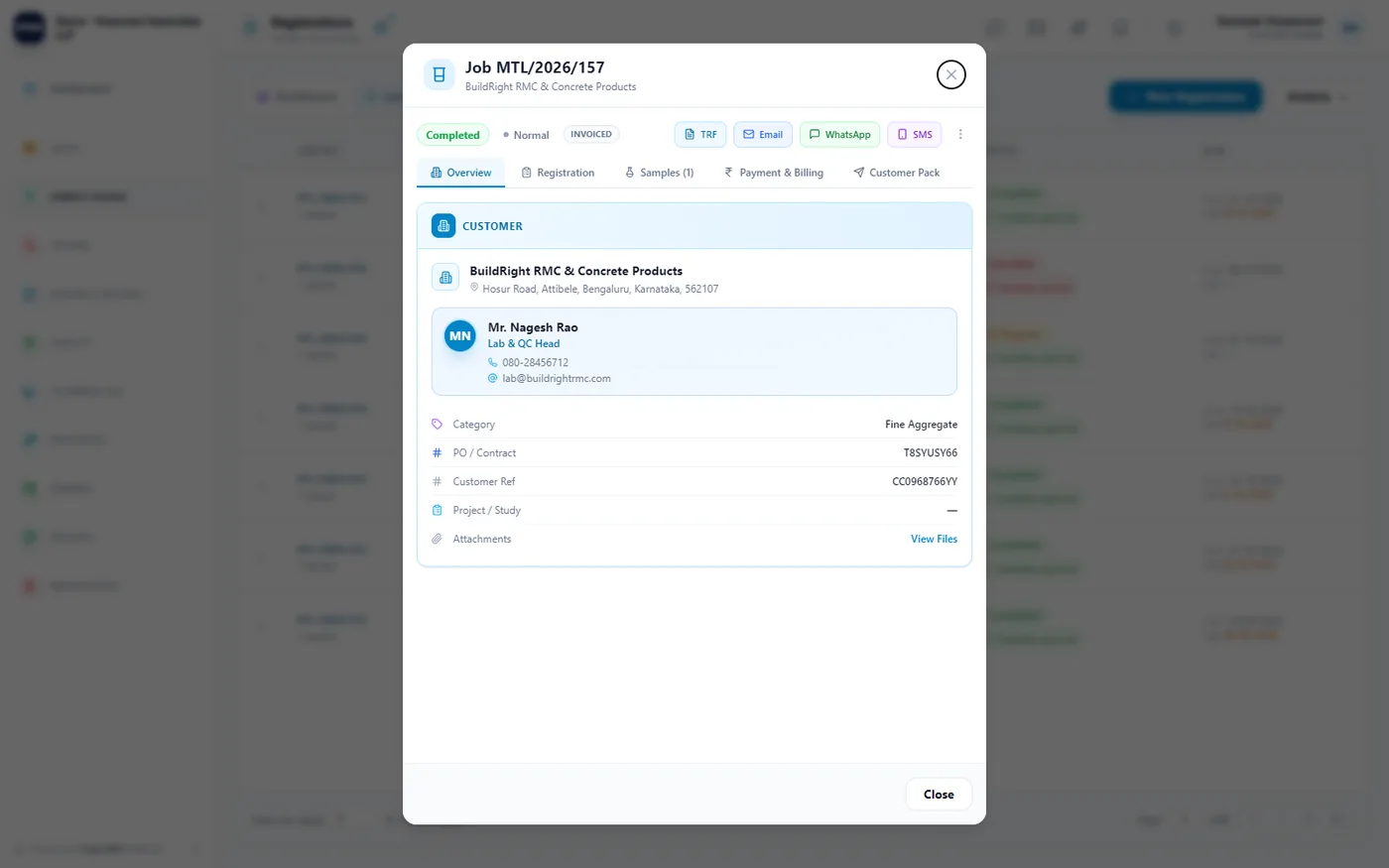
Registration in three parts: the queue of open jobs, the form that creates one, and the record it becomes — opened tab by tab. Real screens from a demonstration tenant.
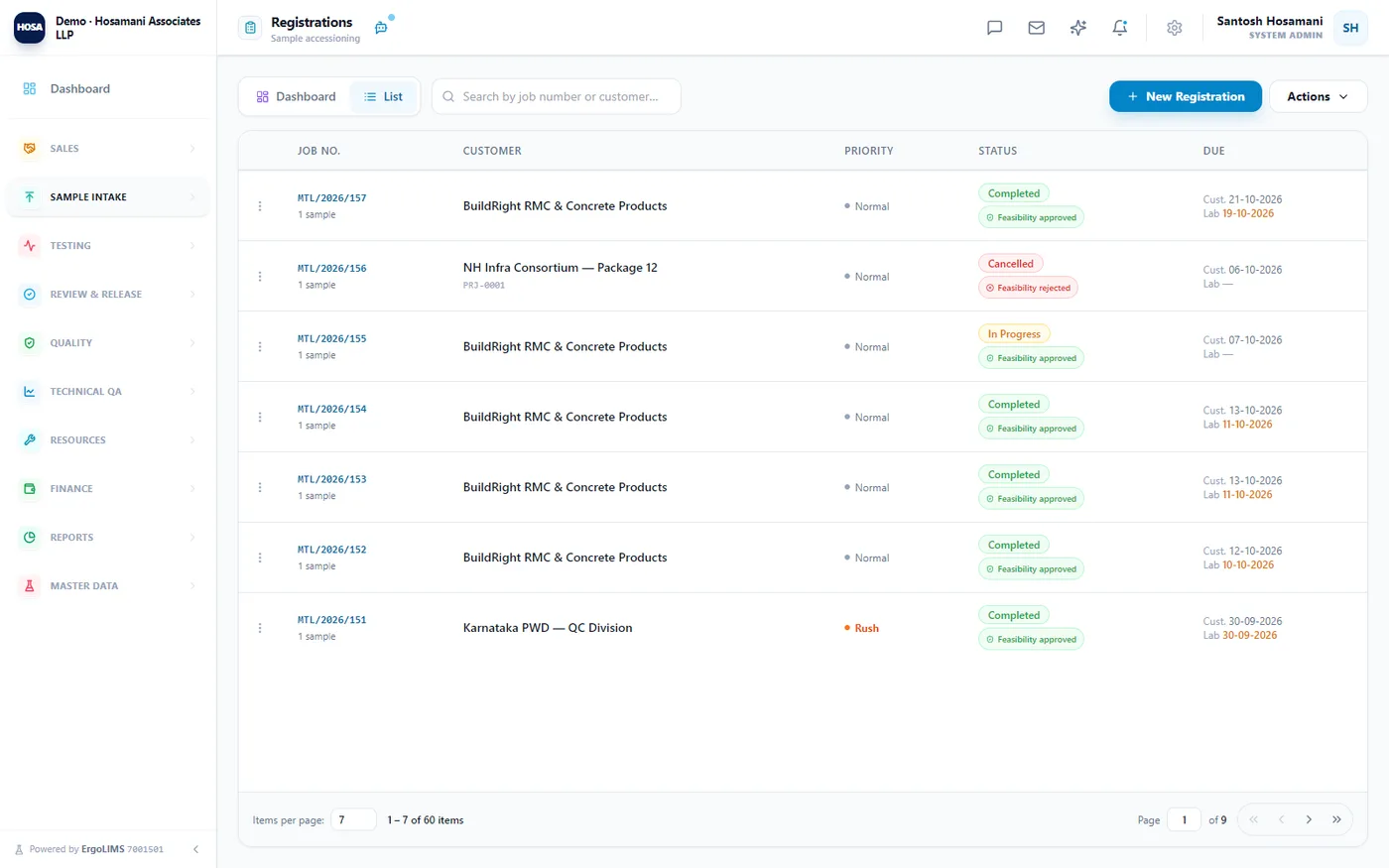
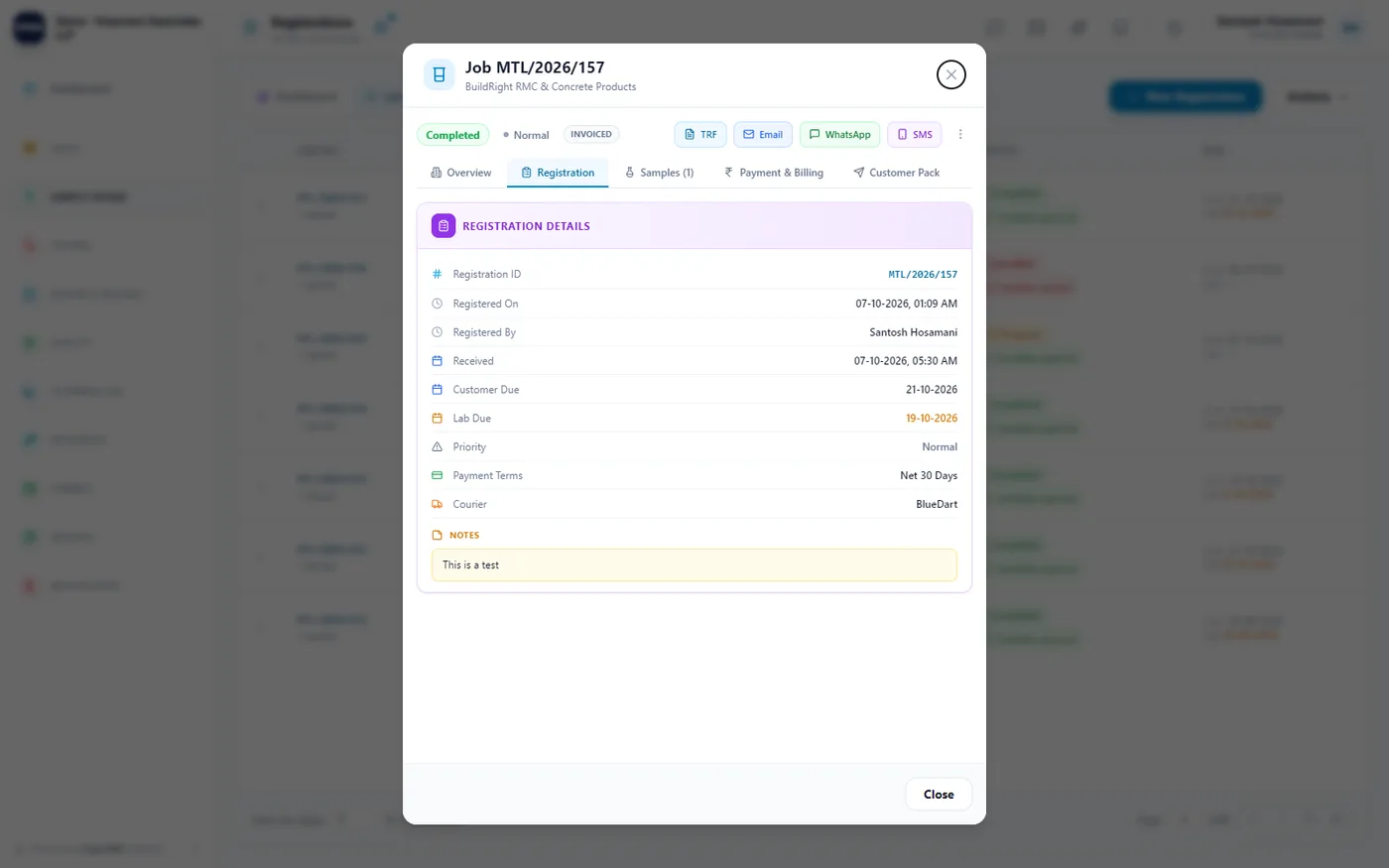
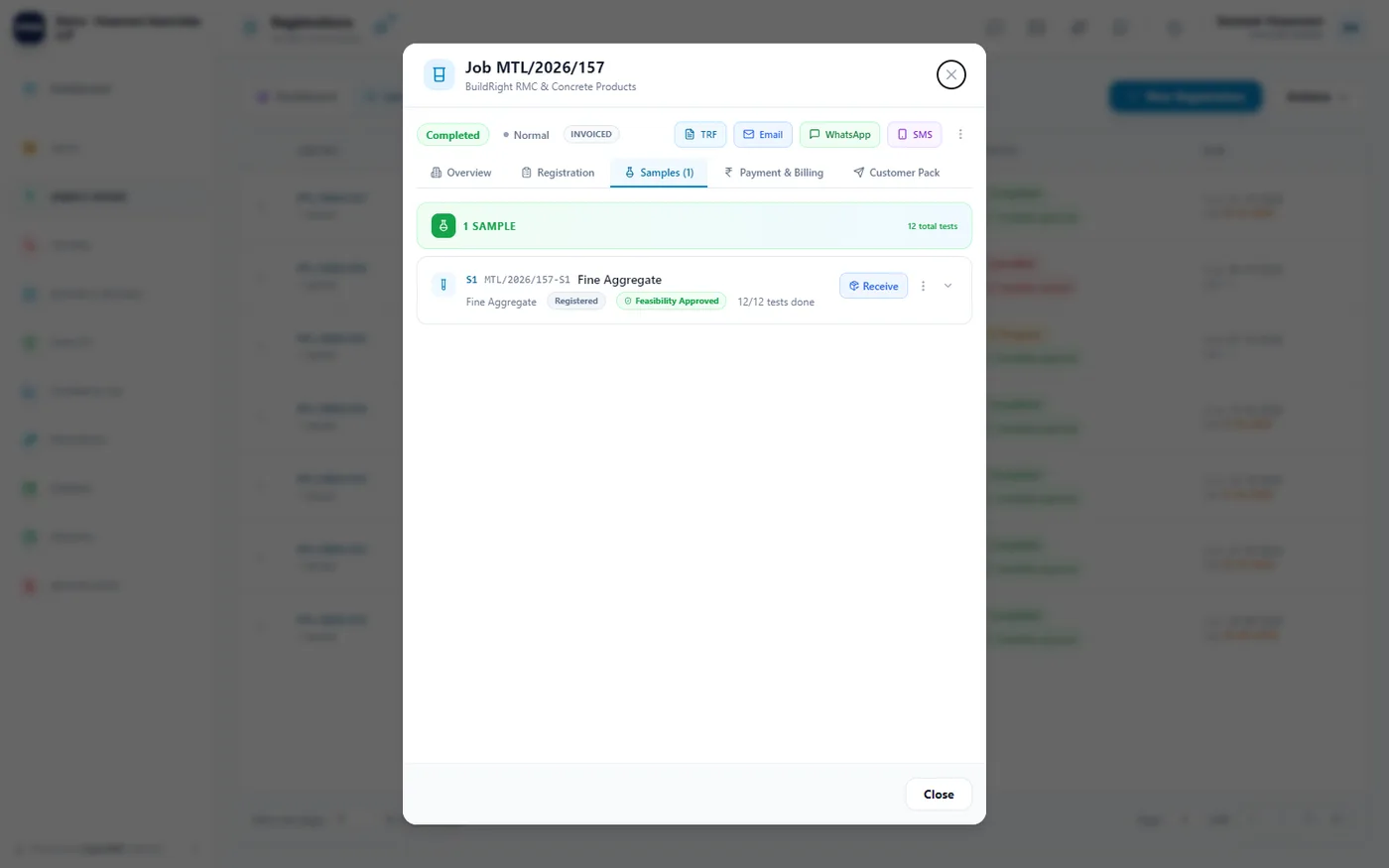
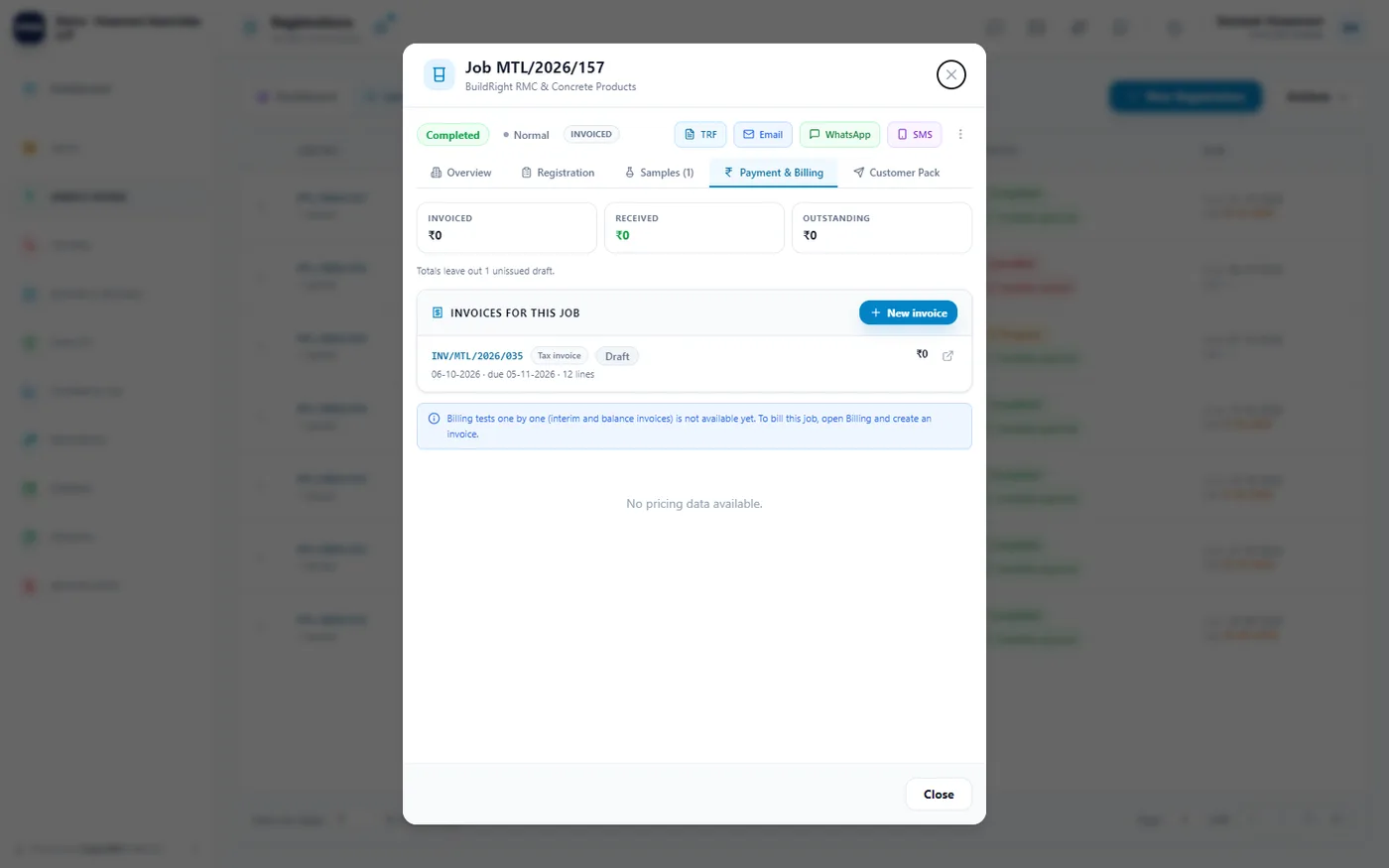
The queue. Every open job with priority, status, feasibility and both due dates — the lab date in red when it has slipped.
Wizards to create, tabs to inspect
Creating a record walks a numbered stepper so nothing half-entered gets saved. Opening one gives a tabbed record with its whole history in place. Both below are the real screens — click a step or a tab.
Registering a job — 3 steps
- →
- →
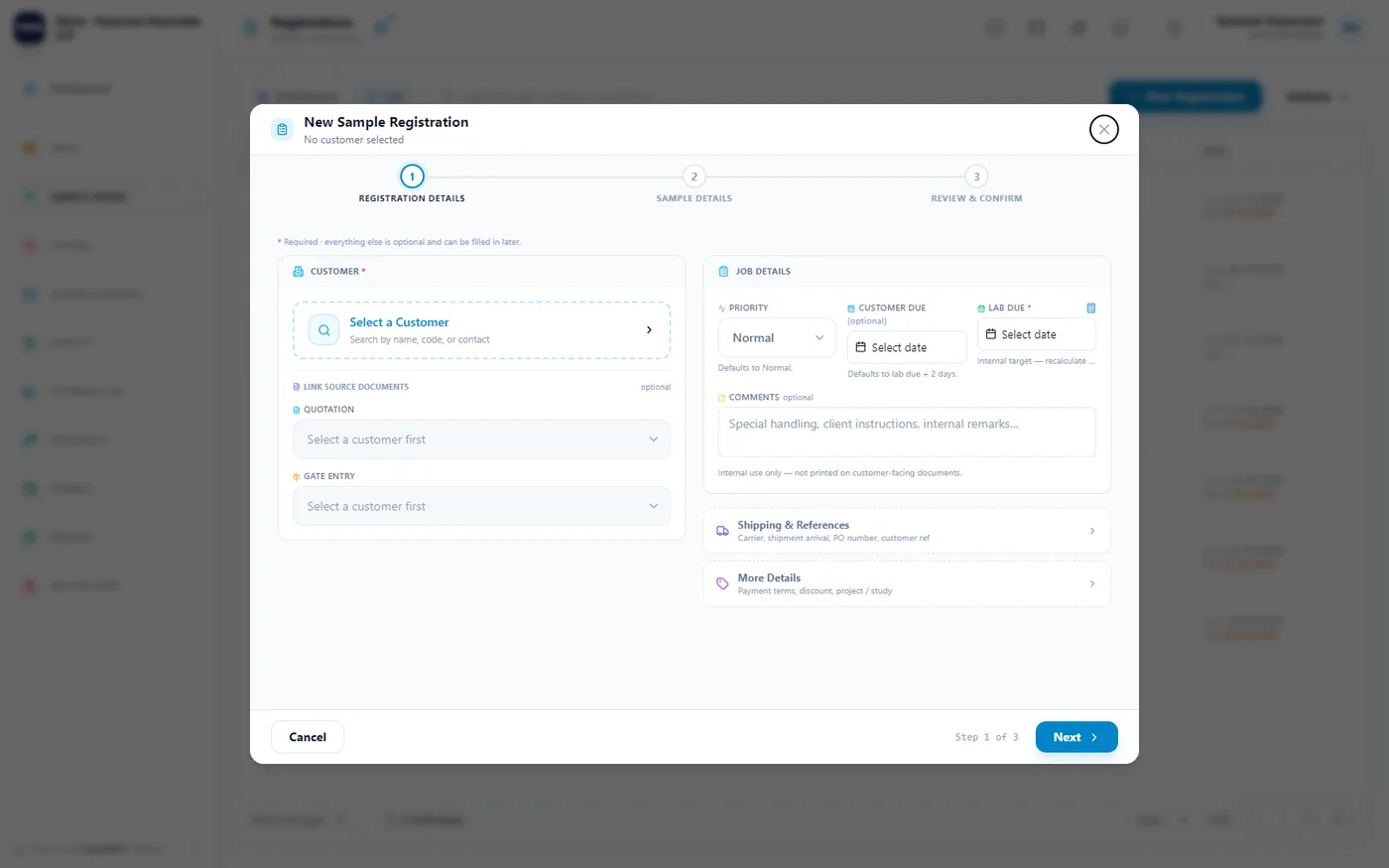
Customer, priority and the two due dates — what the customer was promised, and the internal target. A quotation or gate entry can be linked in, so nothing is re-keyed.
Opening an instrument — 5 tabs
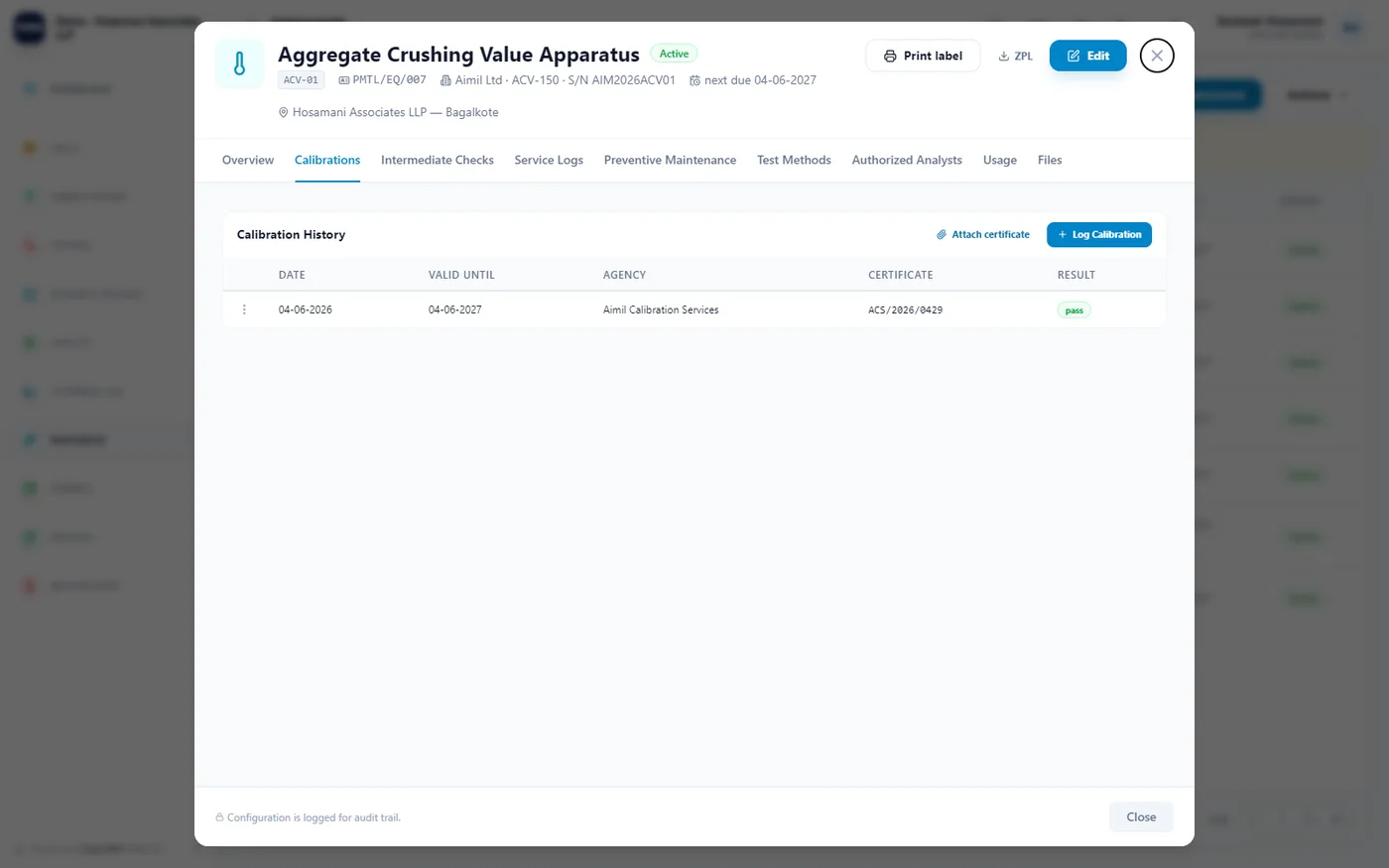
Calibration history with the agency, certificate number and result. This is what drives the lockout when a date passes.
All five tabs are real captures of the same instrument record — an AC/DC Hi-Pot tester, calibrated by NABL CAL Labs.
Screens from a demonstration tenant
Not mock-ups. Every one is a capture of a live ErgoLIMS tenant with real data in it — the lists, the forms that create records, and the records themselves. Screens that would have been empty are not here. Click any of them to look properly.
Creating a record
The forms your team lives in — not just the lists they produce.
From the gate to the bench
A working queue: parcels in, feasibility checked, samples tracked, results reviewed.
Opening a record
What one customer or instrument looks like from the inside.
The masters behind it
Set up once, then everything downstream agrees with itself.
Bring your own samples
The useful demo is the one where you register a real job of yours and try to break a guard. We would rather you found the limits now than after signing.
Book a demo